
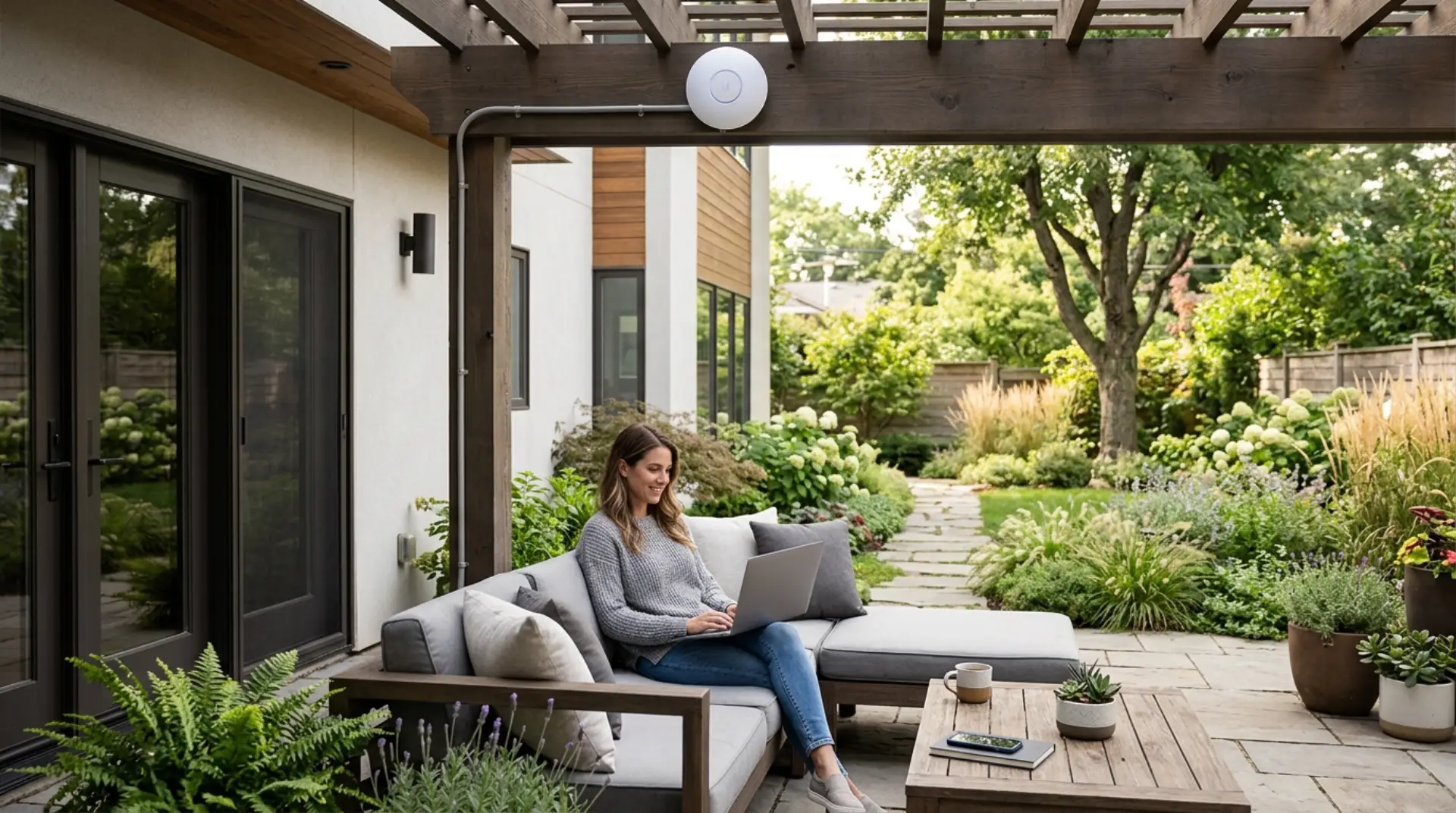
Reliable outdoor WiFi helps you use the internet in your garden, patio, backyard, pool area, balcony, terrace, or outdoor seating space without weak signals or frequent disconnections. A standard indoor router often cannot cover open outdoor areas properly because walls, glass doors, distance, weather, and interference can reduce signal strength. Thick walls may need steps to boost WiFi signal through walls before the signal reaches outdoor areas. The right setup depends on your outdoor size, router location, device usage, and whether you need basic browsing, video calls, smart cameras, outdoor TV streaming, or work-from-home access outside.
Key Takeaways
- Outdoor internet problems usually happen because the indoor router signal is too weak outside. Common causes of slow WiFi should also be checked when outdoor devices buffer or disconnect.
- A weatherproof outdoor access point gives better performance than placing a router near a window.
- Mesh systems can help, but they may not be enough for large gardens or detached areas.
- Wired access points are more stable than wireless extenders for outdoor coverage.
- Outdoor WiFi should be installed safely with proper waterproofing, placement, and network security.
Why Garden and Outdoor Areas Need a Different WiFi Setup
Indoor routers are designed mainly for rooms, halls, and internal walls. When the signal has to travel through concrete, metal doors, tinted glass, thick villa walls, or long open spaces, performance drops quickly. This is why a garden may show one or two bars even when the internet works well inside the home.
Outdoor areas also have different usage needs. A family may need WiFi for phones, tablets, smart speakers, CCTV cameras, garden lighting, outdoor projectors, or video doorbells. If the signal is weak, these devices may buffer, disconnect, or fail to respond. A WiFi signal strength meter can show whether outdoor cameras, phones, or TVs have enough signal.
A proper outdoor setup extends the network beyond the indoor living space and creates stable coverage where people actually use their devices.
Best Way to Get WiFi in a Garden
The best way to get WiFi in a garden is to install an outdoor-rated access point connected to the main router by Ethernet cable. For larger homes, professional WiFi installation can make access point placement safer and more reliable. This gives a stronger signal, better stability, and wider coverage than relying only on an indoor router.
Outdoor access points are built to handle heat, dust, humidity, and weather exposure. They can be mounted on an outside wall, pergola, terrace area, or covered outdoor structure. When placed correctly, they spread the signal across the garden instead of forcing devices to connect to a weak indoor signal.
For small patios or balconies, a strong indoor mesh node near the outdoor-facing wall may be enough. For larger gardens, villas, pool areas, or detached seating zones, a dedicated outdoor access point is usually the better option.
Indoor Router vs Outdoor Access Point
An indoor router can sometimes cover a small balcony or terrace if it is placed near the outdoor area. However, this solution is limited because the router signal still has to pass through walls, windows, and doors.
An outdoor access point is designed to broadcast WiFi directly in the open area. It is more reliable for gardens, large patios, rooftops, courtyards, and outdoor entertainment zones.
Use an indoor router only when the outdoor area is very close. Router setup mistakes like placing the router in a corner or cabinet can reduce outdoor reach. Use an outdoor access point when you need stable coverage across a wider space.
Can a WiFi Extender Work Outside?
A WiFi extender can work for a small outdoor area, but it is not the strongest solution. Extenders repeat the existing signal, so if the signal reaching the extender is already weak, the extended connection will also be weak.
Many basic extenders are not weatherproof and should not be installed outdoors. They may also reduce speed because they repeat wireless signals instead of creating a strong wired connection.
For temporary or light use, an extender may help. For long-term outdoor coverage, an access point or outdoor mesh system is more dependable.
Mesh WiFi for Outdoor Areas
Mesh WiFi can improve outdoor coverage if one mesh unit is placed near the garden-facing side of the home. This works best when the garden is not too large, and there are not many thick walls between the mesh node and the main router.
Some brands also offer outdoor mesh units. These are better for patios, backyards, terraces, and poolside areas because they are designed for external conditions.
Mesh is useful when you want easier setup and seamless movement between indoor and outdoor areas. However, for maximum stability, wired backhaul or Ethernet-connected outdoor units are still preferred.
Where to Place Outdoor WiFi Equipment
Outdoor WiFi equipment should be placed high enough to reduce blockage from furniture, plants, walls, and outdoor structures. A wall-mounted position facing the garden usually gives better coverage than placing a device low near the floor.
Avoid placing the access point behind metal panels, inside cabinets, near large water tanks, or behind thick columns. Water features, mirrors, metal gates, and dense landscaping can weaken or reflect signals.
The best location is usually a shaded or protected wall with a clear view of the outdoor area. The device should also be close enough to receive power and Ethernet safely.
How Far Can Outdoor WiFi Reach?
Outdoor WiFi range depends on the access point power, antenna design, placement, interference, and connected devices. In open areas, outdoor access points can cover much more distance than indoor routers, but real performance still depends on the environment.
A small patio may need only one access point. WiFi coverage checker testing can show whether one access point is enough for the full outdoor area. A large garden, villa backyard, farm-style property, or outdoor business area may need multiple access points placed in different zones.
The goal is not just long range. The goal is a strong, usable signal where people sit, walk, work, stream, or use smart devices.
Weatherproofing and Safety
Outdoor networking equipment must be rated for outdoor use. Indoor routers and extenders should not be exposed to direct sun, rain, humidity, or dust.
Use proper outdoor-rated cables, waterproof enclosures, safe mounting, and correct cable routing. Poor installation can cause signal problems, device damage, or electrical safety risks.
If an Ethernet cable is used outside, it should be protected from water exposure, sharp edges, and direct damage. For villas and large homes, professional installation is often safer and more reliable.
Outdoor WiFi for Smart Cameras and Security Devices
Smart cameras, video doorbells, motion sensors, and outdoor alarms need stable WiFi because they depend on continuous connectivity. Device-specific WiFi problems can happen when one camera, printer, TV, or phone struggles while others work. A weak outdoor signal can cause delayed notifications, poor video quality, missed recordings, or offline camera alerts.
For security devices, signal strength is more important than basic coverage bars. Cameras need enough upload speed to send video properly.
If multiple cameras are installed around the garden, driveway, gate, or backyard, one outdoor access point may not be enough. Each camera zone should be checked for a stable signal before final installation.
Outdoor WiFi for Streaming, Work, and Video Calls
Outdoor streaming and video calls need stronger performance than basic browsing. A device may show connected status but still buffer or drop calls if the signal is unstable.
For outdoor TV, projectors, laptops, or work calls, place the access point near the main usage area. A wired outdoor access point delivers the best results because it does not rely on a weak, repeated wireless signal.
If several people use the garden WiFi at the same time, choose equipment that can handle multiple devices without slowing down.
Network Security for Outdoor WiFi
Outdoor networks can be detected beyond your property, so security is important. Secure home WiFi from hackers by using strong encryption, updated passwords, and trusted device access. Use a strong WiFi password, modern encryption, and avoid open networks.
For guests, create a separate guest network instead of sharing your main home WiFi password. This helps protect personal devices, smart home systems, and private files.
Change default router login details and keep firmware updated. A strong outdoor signal should be convenient for you, not an easy entry point for others.
Common Outdoor WiFi Problems
Outdoor WiFi problems usually stem from poor placement, weak router signal, incorrect equipment, interference, or using indoor devices outdoors.
Common signs include slow speed in the garden, video buffering, outdoor cameras going offline, phones switching to mobile data, or connection drops near the boundary wall.
Testing signal strength in different outdoor spots helps identify weak areas before choosing equipment. This prevents buying the wrong extender or installing a device in the wrong location.
When to Call a WiFi Technician
Call a WiFi technician if your garden has large dead zones, outdoor cameras keep disconnecting, or extenders have not solved the problem. A technician can test signal strength, check router performance, inspect cable routes, and recommend the right access point placement.
Professional help is also useful for villas, rooftops, pool areas, large terraces, and outdoor business spaces where one router cannot provide stable coverage. A proper setup saves time and prevents repeated device changes.
Best Outdoor WiFi Setup for Homes
The best setup for most homes is a main router indoors, Ethernet cabling to an outdoor-rated access point, and secure network settings. This gives stable coverage without depending on weak signals passing through walls.
For smaller homes, a mesh node near the outdoor area may be enough. For larger gardens, multiple access points may be needed.
A good outdoor WiFi setup should be strong, safe, weather-resistant, secure, and designed around the exact outdoor areas where people use the internet.
FAQs
What is the best way to extend WiFi to a garden?
The best way is to use an outdoor-rated access point connected to the main router with Ethernet. It gives stronger and more stable coverage than a basic extender. For large gardens, more than one access point may be needed.
Can I put my normal router outside?
No, a normal indoor router should not be placed outside. It is not built for heat, rain, dust, or humidity. Use weatherproof outdoor WiFi equipment instead.
Will mesh WiFi work in my backyard?
Mesh WiFi can work if the backyard is close to the house and the signal path is not blocked. For better results, use an outdoor mesh unit or wired mesh backhaul. Large gardens may still need dedicated access points.
Why is my WiFi weak in the garden?
The signal may be blocked by walls, glass, doors, distance, or outdoor structures. Indoor routers often lose strength before reaching outdoor areas. Better placement or outdoor equipment can fix the issue.
Is an outdoor access point better than a WiFi extender?
Yes, an outdoor access point is usually better for stable outdoor coverage. It creates a stronger signal instead of repeating a weak one. A wired access point is best for long-term use.
How many outdoor access points do I need?
Small patios may need one access point. Large gardens, villas, rooftops, or pool areas may need two or more. The number depends on size, layout, walls, and device usage.
Can outdoor WiFi support security cameras?
Yes, outdoor WiFi can support security cameras if the signal is strong and stable. Cameras need reliable upload speed for live video and alerts. A weak signal can cause offline cameras and poor video quality.
How do I secure outdoor WiFi?
Use a strong password, modern encryption, and a separate guest network. Do not leave outdoor WiFi open or use default router details. Keep router and access point firmware updated for better protection.
Final Advice
A garden or outdoor area needs more than a weak signal from an indoor router. The right solution depends on the size of the outdoor space, the number of devices, and how the internet is used outside. For stable coverage, a weatherproof outdoor access point with proper placement and secure settings is usually the most reliable choice.
Leave a Reply