
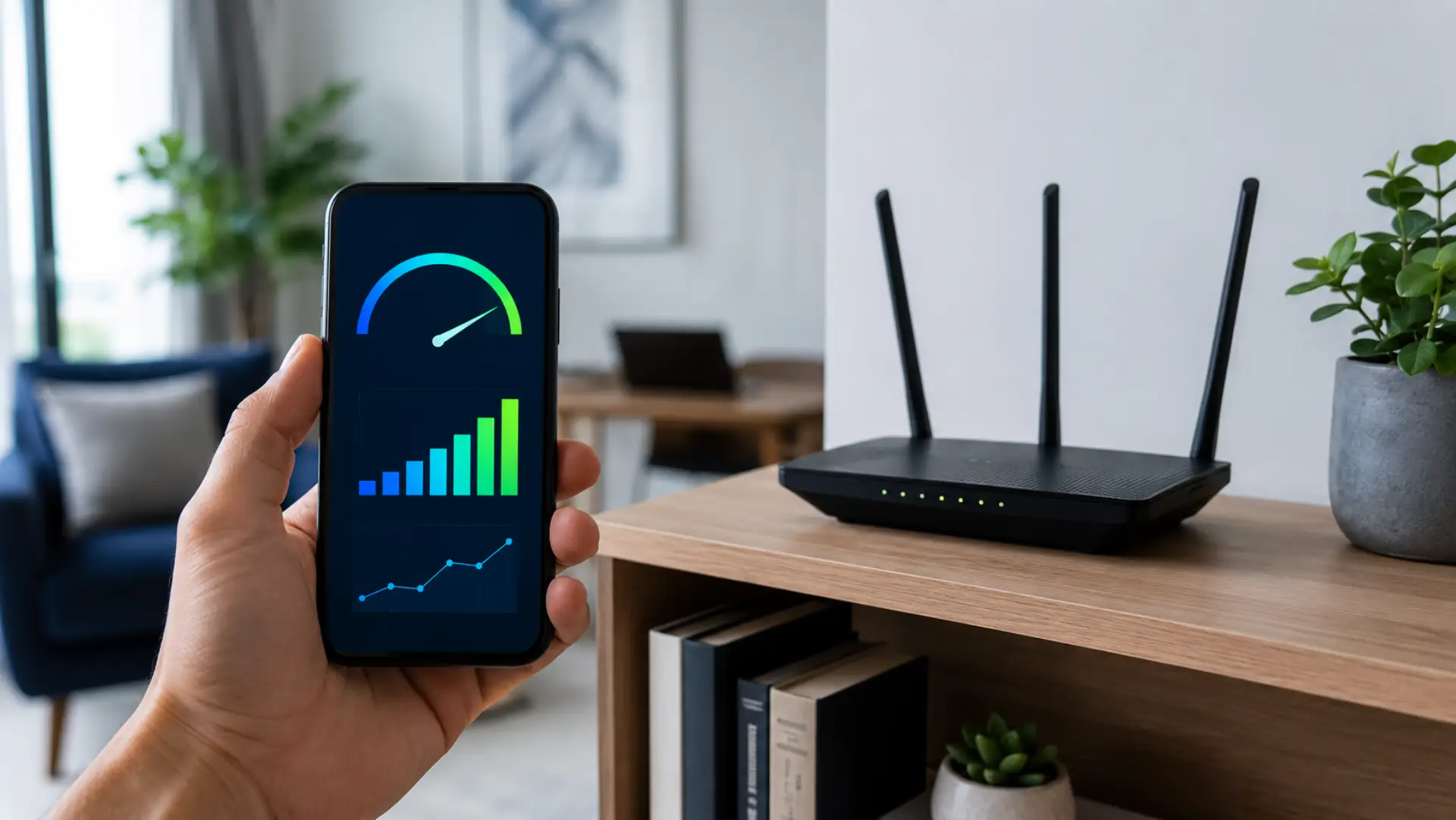
A WiFi signal strength meter helps you understand how strong or weak your wireless connection is in different parts of your home, apartment, villa, or office. It works well with a WiFi coverage checker when you want to compare signal strength across different rooms. When you read WiFi signal strength correctly, you can identify poor router placement, weak coverage areas, interference, device issues, and connection problems before assuming your internet plan is the problem.
Signal strength is usually shown in dBm, percentages, bars, or app-based quality scores. The most accurate reading is dBm because it shows the actual wireless signal level between your device and router. A stronger reading means your device can communicate with the router more reliably, while a weaker reading can cause buffering, disconnections, lag, and unstable browsing.
What a Signal Strength Meter Actually Shows
A WiFi strength meter measures how well your device receives wireless signals from the router. A WiFi speed test should also be used because signal strength and internet speed are not the same thing. It not only shows whether you are connected, but it also shows the quality of that connection.
Most tools display signal strength in one of these formats:
- dBm reading
- Percentage score
- Signal bars
- Quality rating
- Network graph
- Room-by-room reading
The dBm value is the most useful because it gives a measurable signal level. WiFi signals are shown as negative numbers, such as -45 dBm, -60 dBm, or -75 dBm. The closer the number is to zero, the stronger the signal.
For example, -45 dBm is much stronger than -75 dBm.
How to Read dBm Signal Levels Correctly
A WiFi signal meter usually shows RSSI, which means Received Signal Strength Indicator. This tells you how strong the wireless signal is where your device is currently located.
Here is a practical way to read the numbers:
| Signal Reading | Meaning | Connection Quality |
| -30 dBm to -50 dBm | Very strong | Excellent |
| -51 dBm to -60 dBm | Strong | Good for streaming, calls, and work |
| -61 dBm to -67 dBm | Stable | Good for normal daily use |
| -68 dBm to -70 dBm | Usable | May slow down under load |
| -71 dBm to -80 dBm | Weak | Buffering and drops may happen |
| Below -80 dBm | Very weak | Unstable or unusable |
For most homes, a reading between -50 dBm and -67 dBm is usually enough for smooth browsing, video calls, smart TVs, and normal streaming. If the reading drops below -70 dBm, the connection may still work, but performance can become unreliable.
Strong Signal Does Not Always Mean Fast Internet
A strong wireless reading means your device has a good connection to the router. A good internet speed for Dubai homes should still match device usage, room coverage, and router capacity. It does not always mean your service provider is delivering full speed.
That is why signal readings and speed results should be checked separately. A strong signal with poor results from an internet speed test may point to an ISP issue, overloaded router, bad cable, wrong plan speed, or network congestion.
A weak signal with poor speed usually means the problem is inside the home network. In that case, router position, walls, distance, and interference should be checked first.
When to Use a Signal Meter
You should use a signal meter when your connection feels unstable in certain rooms, but works fine near the router. Repeated instability in one area can also feel like an unstable internet connection caused by weak coverage. This helps you avoid guessing and gives you clear data before changing equipment.
A WiFi signal checker is useful when:
- One room has weak performance
- Video calls freeze in specific areas
- Smart TVs buffer frequently
- Gaming ping changes by room
- Upstairs or balcony areas disconnect, which may mean you need to get WiFi upstairs with better placement or coverage support.
- Devices work better near the router
- You are planning a router, extender, or mesh setup
A proper reading helps you know whether the issue is signal strength, coverage, interference, or speed of delivery.
How to Run a Reliable Signal Reading
A WiFi signal test should be done in the same places where you actually use your devices. Testing only beside the router will not show the real problem.
Stand in each important area of the home and record the signal value. A room-by-room WiFi coverage checker can help you build a clearer map of weak and strong areas. Test near the router, in bedrooms, living room, office area, kitchen, balcony, and any room where the connection feels weak.
For better accuracy:
- Keep the device still while testing
- Test at the same height where devices are normally used
- Avoid standing directly beside thick walls or metal objects
- Run readings at different times of day
- Check both 2.4 GHz and 5 GHz networks if available
- Compare results from more than one device
A single reading may not show the full issue. Several readings across the home give a clearer picture.
Understanding Signal Bars vs Real Readings
WiFi bars are not always accurate. A device may show three or four bars but still perform badly because bars are simplified indicators.
A proper WiFi checker gives more useful information than the basic phone or laptop icon. Signal bars do not show interference, channel congestion, or exact dBm values. They also differ from one device to another.
For serious troubleshooting, always check the actual signal value instead of relying only on bars.
Best Signal Range for Common Home Uses
Different online activities need different signal quality. Basic browsing can work with a weaker signal, but video calls, gaming, and streaming need a more stable connection.
A good WiFi test should match the activity you care about most:
| Activity | Recommended Signal |
| Browsing and email | -70 dBm or better |
| HD streaming | -67 dBm or better |
| Video calls | -65 dBm or better |
| Online gaming | -60 dBm or better |
| Smart TV streaming | -60 dBm to -65 dBm |
| Work-from-home setup | -60 dBm or better |
If your readings are weaker than these levels, improving router placement or adding proper coverage may help.
What Causes Weak Signal Readings
Weak readings usually happen because the wireless signal loses strength before reaching your device. Distance is one reason, but it is not the only one.
Common causes include:
- Router placed too low
- Thick concrete walls
- Closed cabinets
- Metal furniture
- Mirrors
- Kitchen appliances
- Too many nearby networks
- Long distance from router
- Poor router antenna position
- Old router hardware
- Wrong frequency band
In apartments, interference from nearby routers can be a major issue. In villas or larger homes, distance and wall thickness are often bigger problems.
Difference Between Signal Strength and Speed
Signal strength shows the wireless connection quality between your device and router. Speed shows how much data your internet connection can deliver.
You may have good signal strength but poor wifi speed if the router is overloaded, the ISP line is unstable, or too many devices are active at once. You may also have a fast plan but weak room performance if the wireless coverage is poor.
To understand the issue correctly, check both signal strength and speed in the same location.
If the signal is weak and speed is poor, improve wireless coverage first. If the signal is strong but speed is still poor, check internet speed through the router, modem, provider line, or wired connection.
How to Test Coverage Around the Home
A WiFi coverage checker helps you find weak areas instead of relying on guesswork. Start close to the router and move slowly toward rooms where the connection becomes unstable.
Write down the dBm value in each area. This helps you build a simple coverage map of your space.
Use this method:
- Test near the router
- Test in the main seating area
- Test in each bedroom
- Test near smart TVs
- Test in work areas
- Test upstairs if applicable
- Test outdoor or balcony areas if used
This gives you a clear view of WiFi coverage and helps decide whether router repositioning, an access point, extender, or mesh system is needed.
Using Analyzer Tools for Deeper Checks
A WiFi analyzer can show more than signal strength. It may also show channel congestion, nearby networks, frequency bands, and signal changes over time.
This is useful when the signal looks strong but performance still feels unstable. Nearby networks can interfere with your router, especially in apartments and shared buildings.
Look for:
- Overcrowded channels
- Weak 5 GHz range
- Strong 2.4 GHz interference
- Signal drops between rooms
- Multiple networks using the same channel
- Sudden changes in signal level
These details help you fix the correct problem instead of replacing the router too quickly.
What Reading Means You Need Better Coverage
If important rooms show readings weaker than -70 dBm, your router may not be covering the area properly. If readings fall below -80 dBm, the connection will likely be unstable.
This is usually where users experience slow internet, buffering, dropped calls, and poor smart TV performance.
You may need better coverage if:
- Bedrooms show weak readings
- The router is far from daily-use areas
- Upstairs signal is poor
- Smart TVs disconnect
- Video calls fail in one room
- The signal changes heavily while walking
- Multiple devices struggle in the same area
A weak reading in one room does not always mean your internet plan is bad. It often means the router signal is not reaching that area properly.
How to Improve Weak Readings
Start with simple fixes before buying new equipment. Many weak signal problems are caused by poor router placement.
Place the router:
- In a central area
- Off the floor
- Away from cabinets
- Away from microwaves and metal objects
- Away from thick walls
- In an open space
- Near the rooms where WiFi is used most
If the signal remains weak after placement changes, consider a wired access point, mesh system, or professional setup. An extender can help in some cases, but it should be placed where it still receives a strong signal from the router.
Do not place an extender inside the dead zone. It needs a usable signal to repeat.
When Signal Strength Is Not the Main Problem
Sometimes signal readings are fine, but the connection still feels poor. In that case, the issue may be outside wireless strength.
Possible causes include:
- ISP service issue
- Old modem
- Faulty cable
- Router overload
- Too many connected devices
- Background downloads
- Device software issue
- DNS problem
- Wrong router settings
You can check internet speed beside the router to compare your service performance with your room-by-room wireless readings. If speed is poor beside the router even with strong signal, the issue may not be coverage-related.
What Is a Good Reading for Home WiFi?
A good reading for home use is usually between -50 dBm and -67 dBm. This range is strong enough for streaming, video calls, browsing, and work use.
If the reading is around -70 dBm, the connection may still work but can become unstable during heavy use. If it is below -80 dBm, the area is likely outside the reliable WiFi limit.
For the best result, test the rooms where you use internet most, not only the router area.
Final Check Before Making Changes
Before changing equipment, compare signal strength, speed, and device behavior. This gives a more accurate picture of the problem.
Use this quick checklist:
- Is the signal weaker than -70 dBm?
- Does speed drop only in certain rooms?
- Do all devices have the same problem?
- Is the router placed in an open central area?
- Are nearby networks causing interference?
- Does the connection improve near the router?
- Does the issue happen at specific times?
If the answer points to weak readings, improve coverage. If readings are strong but performance is still poor, investigate router load, ISP speed, cables, or device problems.
FAQs
What is a good WiFi signal strength reading?
A good WiFi signal strength reading is usually between -50 dBm and -67 dBm. This range is strong enough for streaming, browsing, video calls, and smart home devices. Anything weaker than -70 dBm may still work, but the connection can become unstable.
Why does my phone show full bars but the internet is slow?
WiFi bars only show a simple signal estimate, not full network quality. Your connection can still be slow because of router congestion, ISP issues, interference, or too many active devices. Check signal strength and speed separately to find the real cause.
Is dBm better than percentage for checking signal?
Yes, dBm is more accurate than a percentage score because it shows the real signal level. Percentages can vary between apps and devices. A dBm reading gives a clearer way to compare signal strength in different rooms.
Can a signal meter fix weak WiFi?
A signal meter does not fix weak WiFi by itself, but it shows where the problem is. Once you know which areas have weak readings, you can move the router, reduce interference, or add better coverage. It helps you make the right fix instead of guessing.
What signal level is too weak for video calls?
Video calls usually need a stable signal around -65 dBm or better. At -70 dBm, calls may still work but can freeze or drop during network load. Below -75 dBm, video call quality often becomes unreliable.
Should I test 2.4 GHz and 5 GHz separately?
Yes, both bands should be tested separately because they behave differently. The 2.4 GHz band travels farther but is often more crowded, while 5 GHz is faster but has a shorter range. Testing both helps you choose the better connection for each room.
Why is one room much weaker than another?
One room may be weaker because of distance, wall thickness, metal objects, mirrors, appliances, or poor router direction. Concrete walls and closed doors can reduce signal heavily. A room-by-room reading shows exactly where the signal drops.
When should I upgrade my WiFi setup?
Upgrade your setup when important rooms stay below -70 dBm even after improving router placement. Larger homes, villas, multi-floor spaces, and heavy-device households may need mesh WiFi or wired access points. A stronger setup is useful when coverage problems keep returning.
Leave a Reply