
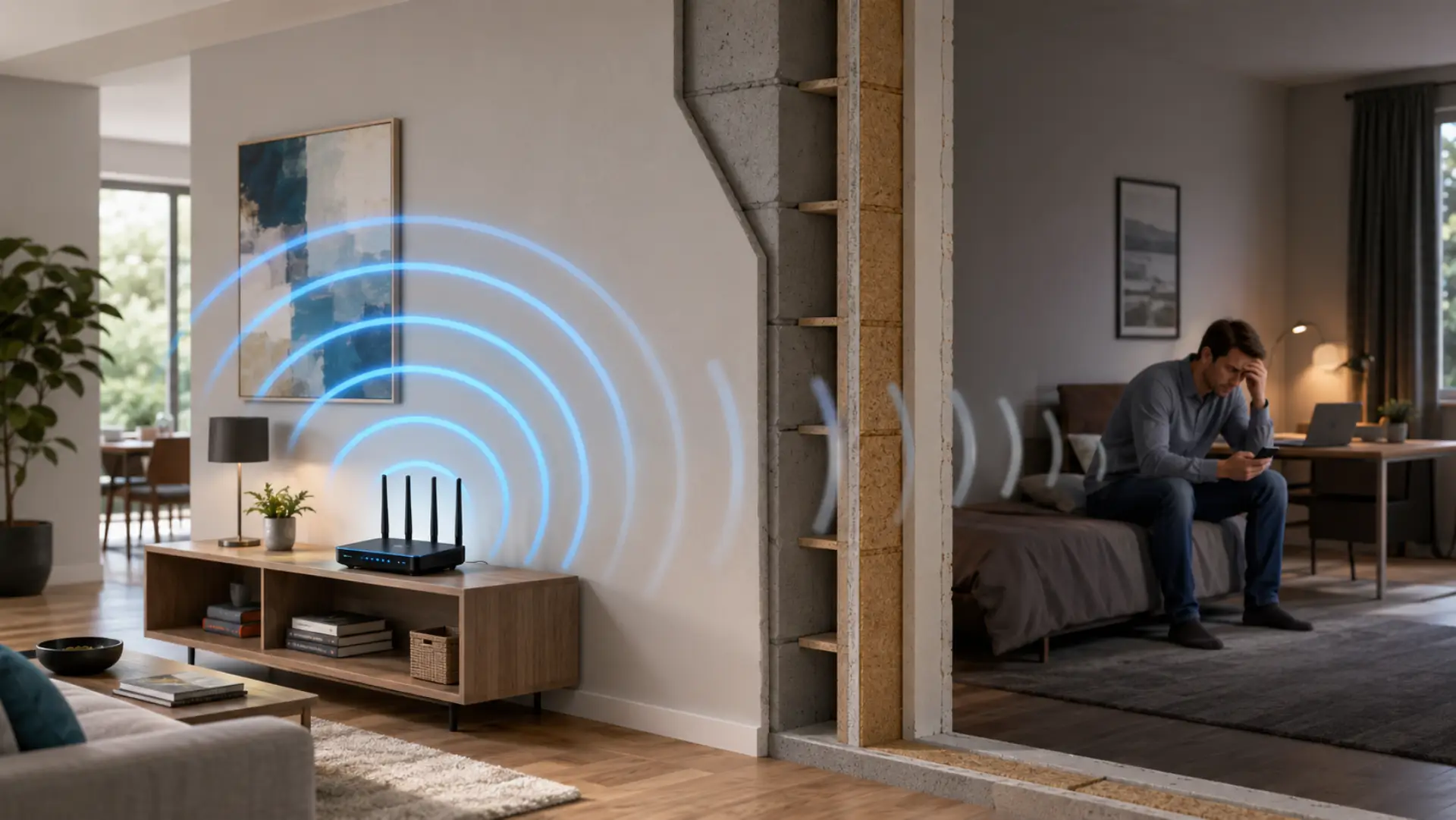
To Boost wifi signal through walls, place your router in a central open area, keep it away from metal and appliances, use the 2.4 GHz band for longer reach, and add mesh WiFi or wired access points if thick surfaces block coverage. If weak rooms are part of a larger villa layout, the issue may be similar to WiFi dead spots in Dubai villas, where one router cannot reach every area properly. A basic extender can help small, weak areas, but it must be placed where the router still gives a stable signal.
Weak coverage is not always an internet package problem. In many homes, the issue comes from distance, blocked signals, poor router location, and building materials that reduce wireless performance before it reaches the room where you need it.
Key Takeaways
- WiFi can pass through many surfaces, but dense materials reduce coverage.
- Concrete, brick, metal, mirrors, and thick doors can weaken wireless signals.
- The router location should be checked before buying extra devices. Better placement is often the first step to boost your WiFi signal before adding extenders or mesh units.
- A single router may not cover large homes, villas, or multi-floor layouts.
- A wifi extender can help small weak spots if it receives a strong signal first.
- Mesh WiFi is usually better for larger homes with several weak areas.
- Wired access points are often the most stable option for thick-wall homes.
Why WiFi Becomes Weak Through Solid Surfaces
WiFi uses radio waves to connect your phone, laptop, TV, and smart devices. Distance, walls, and interference are also common causes of slow WiFi when the signal cannot reach devices cleanly. These waves lose power as they travel farther from the router. When they pass through solid surfaces, part of the signal gets absorbed, reflected, or blocked.
This is why your internet may work well near the router but become unstable in bedrooms, upper floors, or closed rooms. The more barriers between the router and device, the weaker the wifi signal becomes.
The problem becomes more noticeable in large homes, villas, and apartments with thick construction. Even if the internet plan is fast, the experience can feel slow when the signal cannot reach the device properly.
Materials That Block WiFi the Most
Some materials reduce wireless coverage more than others. Drywall and wood usually allow better signal flow, while concrete, brick, stone, glass, and metal can create stronger blockage.
Metal is one of the hardest materials for wireless signals because it reflects them instead of allowing smooth movement. Mirrors can also affect coverage because many mirrors have a reflective metal backing.
Thick concrete and reinforced structures are common reasons for poor coverage in modern homes. If the router signal has to pass through several heavy surfaces, the connection may become weak before it reaches the device.
Check Router Placement Before Buying Anything
Good router placement can improve coverage without adding extra equipment. The router should be placed in a central, open, and slightly elevated area where the signal can spread in different directions.
Avoid placing the router inside a cabinet, behind a TV, near mirrors, beside metal shelves, close to a microwave, or in a far corner of the home. Poor placement is one of the router setup mistakes that can reduce coverage even with a strong internet plan. These positions can reduce wifi strength and create dead zones.
For better home wifi, place the router closer to the areas where people use the internet most. If most devices are used in the living room, office, or bedrooms, the router should not be hidden in a service area or entrance corner.
Use the Right WiFi Band
Most modern routers offer 2.4 GHz and 5 GHz bands. The 2.4 GHz band usually travels farther and handles barriers better, while 5 GHz is faster at short range but weakens faster through solid surfaces.
If your device is far from the router, try connecting it to 2.4 GHz for better reach. If your device is close to the router, 5 GHz may give better wifi speed for streaming, gaming, and video calls. Correct band selection can increase WiFi speed when devices are close enough to the router.
Choosing the right band can improve wifi range without changing the internet plan. This is a simple setting that many users overlook when fixing weak coverage.
When a WiFi Extender Can Help
A wifi extender can be useful when only one small area has poor coverage. It works by receiving the existing wireless signal and repeating it to a nearby area.
The extender should not be placed inside the dead zone. It should be placed between the router and the weak area, where the signal is still strong enough to repeat properly.
If the weak wifi signal is caused by thick concrete, a long distance, or multiple floors, an extender may not be enough. For large villas and multi-floor layouts, mesh coverage is usually more reliable than repeating a weak signal. In that case, mesh WiFi or wired access points may give a more stable result.
Mesh WiFi for Larger Homes
Mesh WiFi is a better option when several rooms have poor internet coverage. Instead of relying on one router, mesh systems use multiple units to spread the network across the home.
This helps reduce weak spots because each unit brings coverage closer to the devices. Mesh is useful for villas, large apartments, multi-floor homes, and layouts where one router cannot reach every room.
A properly placed mesh setup can improve wifi signal strength in bedrooms, living rooms, offices, kitchens, and upper floors without forcing all devices to depend on one router location.
Wired Access Points for Thick-Wall Homes
Wired access points are usually the strongest solution when wireless signals cannot pass properly through heavy construction. They connect back to the main router using network cables and create strong coverage in different parts of the home.
This setup is more stable than repeating a wireless signal because each access point receives a direct wired connection. It is especially useful for work areas, smart TVs, gaming rooms, and rooms where a stable internet is important.
If your home has thick walls, several floors, or long distances between rooms, wired access points can improve WiFi performance better than random boosters.
Should You Use a WiFi Booster?
A wifi booster can help in limited cases, but it is not always the right fix. If it receives a weak signal, it will repeat that weak signal, and the connection may still feel unstable.
Before buying one, test the signal near the router and then in the weak room. If the drop is small, a booster may help. If the drop is large, the home layout needs a stronger coverage solution.
For larger homes, a planned mesh or access point setup is usually better than adding multiple boosters without checking the cause.
Test Coverage Before Upgrading Your Internet Plan
Many people upgrade their package when they experience slow wifi, but that does not always solve the problem. If the speed is good near the router and poor in another room, the issue is likely coverage, not the provider. This is a common slow WiFi connection issue caused by a weak signal reaching inside the home.
Run a speed test close to the router first. Then test again in the weak area. If the speed drops heavily, the problem is inside the wireless setup.
This simple test helps you avoid paying for a faster plan when the real issue is signal loss inside the home.
Common Mistakes That Make Coverage Worse
Poor setup choices can make coverage worse, even with a good router. A router hidden inside furniture, placed low on the floor, or blocked by appliances, cannot spread the signal properly.
Another common mistake is placing extenders too far from the router. If the extender is installed where the WiFi connection is already weak, it cannot improve stability.
Adding too many devices without planning can also create confusion. It is better to understand the home layout first, then choose the right solution.
When You May Need Professional Help
You may need a professional WiFi technician if several rooms have weak coverage, video calls keep freezing, streaming buffers often, or speed drops sharply away from the router.
A technician can test signal levels, router settings, cable quality, interference, device load, and access point locations. This helps find the exact wifi issue instead of guessing or buying the wrong device.
Summary
To Boost wifi signal through walls, start with the router location, remove nearby blockers, choose the right WiFi band, and test coverage in different rooms. If one router cannot cover the full home, use mesh WiFi or wired access points based on the layout.
The best solution depends on wall material, distance, number of floors, and how many devices are connected. A strong network is not only about internet speed; it is about making sure the signal reaches every important area of the home.
FAQs
Can WiFi pass through walls?
Yes, WiFi can pass through walls, but the signal becomes weaker depending on the wall material and thickness. Thin walls usually cause less signal loss, while concrete, brick, metal, mirrors, and reinforced surfaces can reduce coverage more heavily. If several barriers are between the router and your device, the connection may become slow or unstable.
Why is my WiFi weak in one room only?
WiFi can be weak in one room because that area may be farther from the router or blocked by thick walls, furniture, doors, mirrors, or appliances. If the internet works well near the router but becomes slow in that room, the issue is usually related to coverage inside the home rather than the internet package.
Does 2.4 GHz work better through walls?
Yes, 2.4 GHz usually works better through walls because it travels farther than 5 GHz. It may not always provide the highest speed, but it is often more stable in rooms that are far from the router or separated by solid surfaces. For nearby devices, 5 GHz can still be better for faster performance.
Is a WiFi extender good for thick walls?
A WiFi extender can help if it is placed where the main router signal is still strong. If you place it inside a weak area or behind thick walls, it may only repeat a poor connection. For thick-wall homes, mesh WiFi or wired access points are usually more reliable than a basic extender.
Where should I place my router for better coverage?
Place your router in a central, open, and elevated location where the signal can spread freely. Avoid placing it inside cabinets, behind TVs, near metal objects, mirrors, microwaves, or thick furniture. Good router placement can improve coverage before you spend money on extra devices.
Will a faster internet plan fix weak WiFi?
A faster internet plan will not always fix weak WiFi coverage. If the signal cannot reach a room properly, that area may still feel slow even after upgrading the package. First, test the speed near the router and then in the weak room to confirm whether the issue is coverage-related.
Is mesh WiFi better than a booster?
Mesh WiFi is usually better for larger homes, villas, and multi-floor layouts because it spreads coverage through multiple units. A booster may help one small weak spot, but it is not always enough for several rooms or thick walls. For full-home coverage, mesh WiFi gives a smoother and more stable setup.
Leave a Reply