
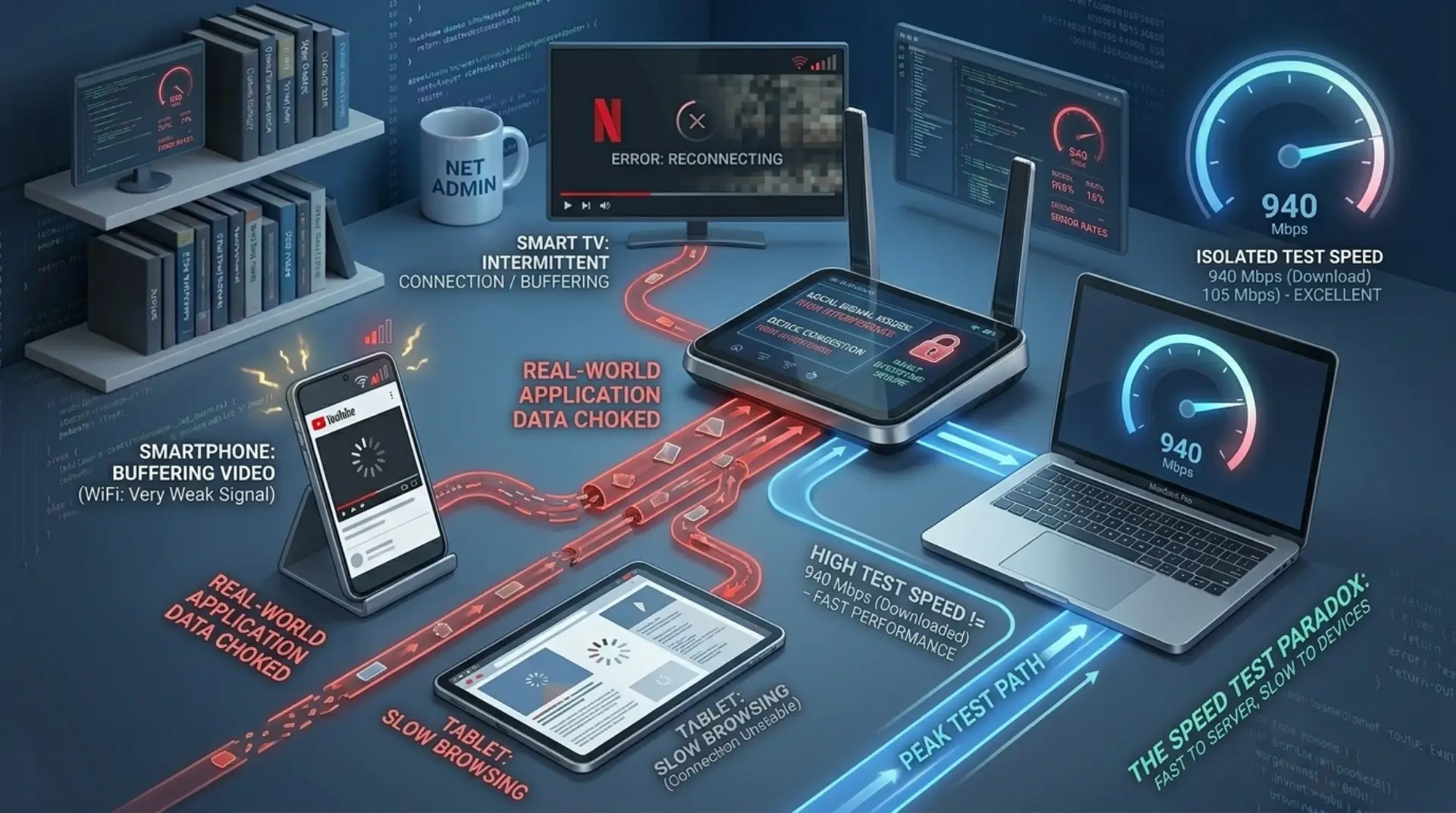
A fast speed test slow internet issue can be confusing. Your speed test shows good Mbps, but websites open slowly, videos buffer, games lag, or apps take time to load. This usually happens because speed test results do not always show the full real-world performance of your internet connection.
A speed test mainly checks download speed, upload speed, and ping against a test server. But your daily internet experience also depends on WiFi signal, router quality, latency, DNS response, browser performance, background apps, connected devices, and the website or app you are using.
If your speed test is fast but the internet feels slow, the problem may not be your internet plan. It may be your WiFi, router, device, browser, or network response time.
Quick Checklist to Fix Slow Internet with Fast Speed Test
- Restart your modem and router
- Test internet with Ethernet
- Move closer to the router
- Check how many devices are connected
- Pause large downloads and updates
- Clear browser cache
- Disable browser extensions
- Flush DNS cache and optimize internet speed drops
- Try another DNS server
- Turn off VPN
- Update device and router software
- Test multiple websites and apps
- Lower streaming quality
- Contact your ISP if wired connection is also slow
What a Speed Test Measures
A speed test usually shows three main results:
Download Speed
Download speed shows how fast data comes from the internet to your device. It affects streaming, browsing, app loading, and file downloads.
Upload Speed
Upload speed shows how fast your device sends data to the internet. It matters for video calls, cloud backups, sending files, and live streaming.
Ping or Latency
Ping shows how quickly your connection responds. A lower ping means your internet reacts faster. High ping can make internet feel slow even when download speed is high.
Why Internet Feels Slow Even with Fast Speed Test
1. Weak WiFi Signal
Your internet speed may be good near the router, but slow in another room. Walls, distance, furniture, and interference can weaken WiFi.
Fix: Move closer to the router, place the router in a central open area, or use a mesh WiFi system for better coverage.
2. Router Is Old or Overloaded
An old router can limit performance even if your internet plan is fast. Too many connected devices can also overload the router.
Fix: Restart the router, update router firmware, disconnect unused devices, or upgrade to a modern router if needed.
3. Too Many Devices Are Connected
Phones, laptops, smart TVs, cameras, gaming consoles, and tablets all share the same internet. If many devices are active, your internet can feel slow.
Fix: Check connected devices in your router settings and block unknown devices.
4. Background Apps Are Using Bandwidth
Cloud backups, app updates, game downloads, and system updates can use internet in the background.
Fix: Pause downloads, close unnecessary apps, and check slow WiFi issues.
5. High Latency
Fast Mbps does not always mean fast response. High latency can make browsing, gaming, video calls, and cloud apps feel delayed.
Fix: Use Ethernet, reduce connected devices, avoid far-away VPN servers, and restart your router.
6. DNS Is Slow
DNS helps your browser find websites. If DNS is slow, websites may take longer to start loading even when your speed test is fast.
Fix: Clear DNS cache and try a reliable public DNS server.
7. Browser Is Slowing You Down
Too many browser extensions, old cache, or too many open tabs can make websites load slowly.
Fix: Clear browser cache, disable unnecessary extensions, update your browser, or test another browser.
8. Your Device May Be Slow
Sometimes the internet is fine, but your phone, laptop, or smart TV is slow. Old hardware, low storage, outdated software, or malware can affect performance.
Fix: Restart your device, update software, free up storage, and scan for unwanted programs.
9. Streaming Quality Is Too High
4K streaming needs more bandwidth than HD. If multiple devices are using internet, videos may buffer even when speed test results look good.
Fix: Lower video quality to Auto or HD and test again.
10. Website or App Server Is Slow
If only one website or app is slow, the issue may be on their server, not your internet.
Fix: Test different websites and apps. If only one is slow, wait or try again later.
11. ISP Congestion
Internet can feel slow during peak hours, especially at night when many people are online.
Fix: Test at different times of day. If slow speed happens mostly at night, contact your internet provider.
12. VPN Can Reduce Speed
A VPN sends your traffic through another server, which can increase delay and reduce browsing or streaming performance.
Fix: Turn off VPN and test again. If performance improves, choose a closer VPN server.
When to Call a WiFi Technician or Internet Provider
If you have restarted your router, tested different devices, checked WiFi signal, and tried Ethernet but the internet still feels slow, it may be time to get professional help.
Call a WiFi technician if the issue is inside your home or office network, such as weak WiFi coverage, dead zones, poor router placement, signal interference, old equipment, or slow internet in specific rooms.
Contact your internet provider if the problem continues on a wired Ethernet connection, the internet drops often, your modem shows errors, or ping and jitter are unstable. In that case, the issue may be with the line, modem, ISP routing, or service quality.
Summary
A fast speed test does not always mean your internet will feel fast. Speed test results show bandwidth under test conditions, but real internet use depends on WiFi strength, router performance, latency, DNS, browser health, device speed, app servers, and network congestion.
If your speed test is fast but internet feels slow, start with simple checks. Test with Ethernet, restart your router, clear browser cache, check background apps, and compare different devices. Most slow internet problems can be fixed without upgrading your internet plan.
FAQs
Why is my speed test fast but internet slow?
Your speed test may be fast because it connects to a nearby test server, but real internet use depends on WiFi signal, latency, DNS, router performance, and device health. If your speed test is fast but internet slow, the issue may be outside raw download speed.
Why is my internet speed test good but browsing slow?
Your internet speed test good but browsing slow issue can happen due to DNS delay, high ping, browser cache, too many extensions, or heavy websites. Fast Mbps helps, but browsing also needs quick server response and a clean browser.
Why is my download speed fast but internet slow?
A download speed fast but internet slow problem usually means bandwidth is not the only issue. High latency, jitter, packet loss, WiFi interference, or background apps can make your connection feel slow even when download speed looks strong.
Why does my WiFi speed test show fast but internet is slow?
If your WiFi speed test shows fast but internet is slow, your wireless connection may be unstable. Walls, distance from the router, interference, router overload, or too many connected devices can affect real browsing and streaming performance.
Why is my internet fast but streaming buffers?
Your internet fast but streaming buffers problem may come from weak WiFi, high video quality, app cache, smart TV performance, ISP congestion, or too many devices using bandwidth. Try lowering video quality and testing another device.
Can DNS make internet slow?
Yes, DNS can make internet slow because it controls how quickly your browser finds website servers. If DNS response is slow, websites may take longer to start loading even when your speed test result is fast.
How do I fix fast speed test but slow internet?
To fix fast speed test but slow internet, restart your router, test with Ethernet, move closer to WiFi, disconnect unused devices, clear browser cache, disable VPN, flush DNS, stop background downloads, and update router or device software.
Leave a Reply