
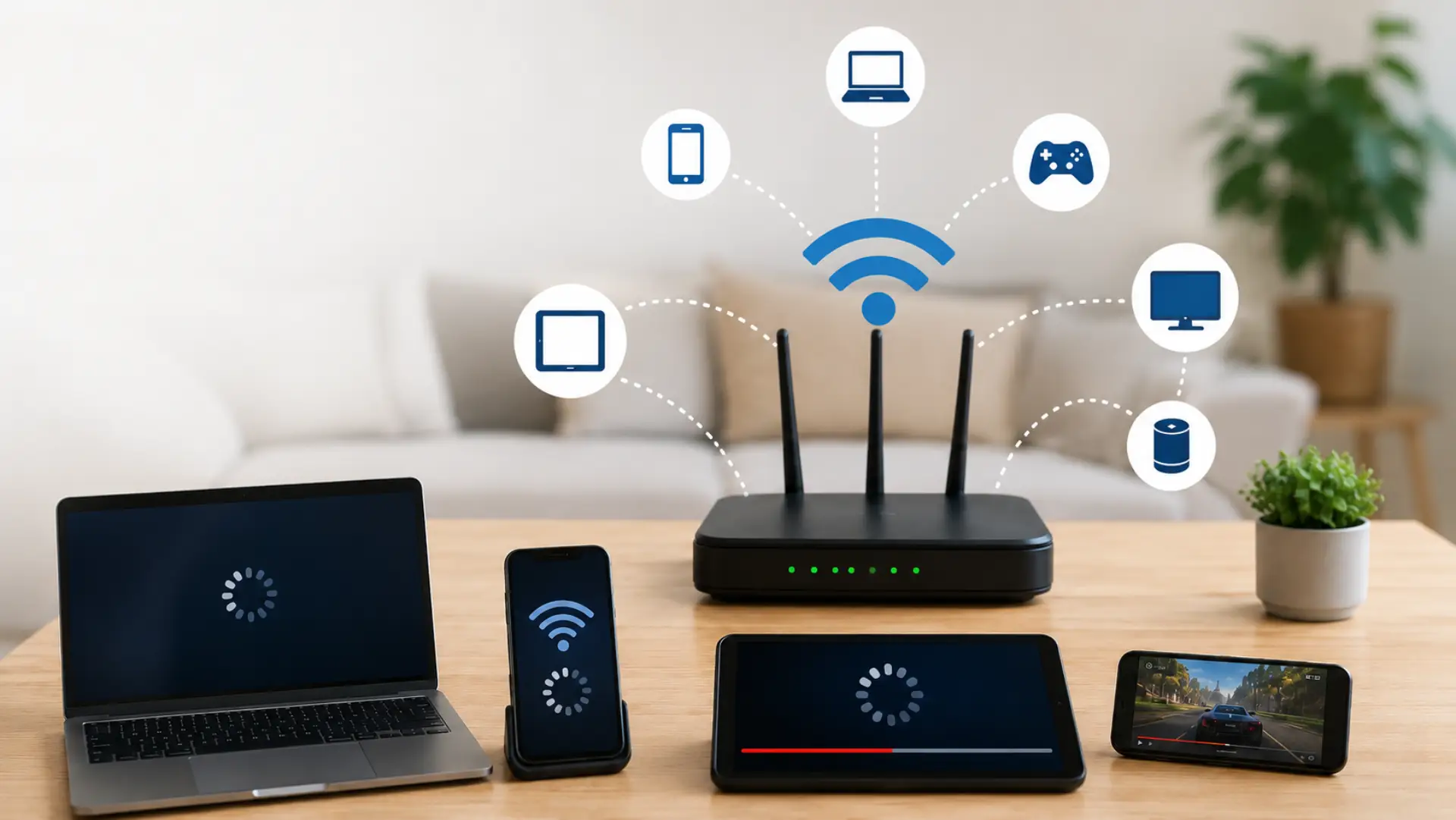
When multiple devices are on WiFi, the connection can slow down because all active devices share the available bandwidth. The slowdown usually happens when several devices are streaming, downloading, gaming, video calling, or syncing data at the same time. Heavy usage during peak hours can also cause internet speed drops when multiple users are active simultaneously.
A device being connected is not always the problem. The real issue is how much data each device is using and how well the router can manage that traffic. This is why one home may run smoothly with many devices, while another home may face buffering, lag, and unstable browsing.
Bandwidth sharing is the main reason speed drops
Every active device takes a portion of your available connection. When one important phone, laptop, or smart TV needs better stability, you can prioritize a device on WiFi through supported router settings. If one user is watching high-quality video and another is downloading a large file, less bandwidth remains for browsing, calls, or gaming.
This is why WiFi speed can feel lower during busy usage. The router is not creating more speed for each device; it is dividing the available connection among all active traffic.
Connected devices and active devices are not the same
Many people think connected devices always slow the network, but an idle device has very little impact. The bigger load comes from devices that are actively sending or receiving data.
This is why too many WiFi devices become a real concern when several of them are working at the same time. A smart TV streaming, a laptop updating, or a security camera uploading video can affect performance more than a device sitting idle.
Router load affects network performance
Your router has to manage all traffic between your devices and the internet. If the router is old, low-powered, or not designed for heavy use, it may struggle when several users are active together.
A weak router device can reduce router speed, even when the internet plan itself is good. In this case, the limit is not only your package speed but also the router’s ability to handle many connections.
Why speed become worse during heavy use
Speed often drops when multiple users are active at the same time. Streaming, gaming, video calls, downloads, cloud backups, and smart home devices can all create pressure on the same connection.
This can cause internet slowdown in the home, especially during evening hours when more people are online. The problem may look like a provider fault, but often the local network is simply handling too much traffic at once.
Why only one device slow
Sometimes only one phone, laptop, tablet, or computer becomes slow while other devices work normally. This is relevant because the issue may not be the whole network; it may be one device’s signal, settings, software, or connection path.
A single wifi device can face slow wifi if it is far from the router, connected to a weaker band, running background apps, or using outdated wireless settings. In that case, fixing the full router setup may not solve the problem until that specific device is checked.
Signal strength can make devices perform differently
Two devices on the same network may not receive the same quality of connection. A device near the router usually performs better than a device behind walls, doors, or furniture. Weak rooms often become WiFi dead zones, especially in thick-wall homes, villas, and multi-floor spaces.
A weak WiFi signal strength can make a device stay connected but load slowly. This can create an unstable wifi connection, even when other devices closer to the router are working fine.
Background usage can quietly reduce speed
Some devices use data without a clear warning. Cloud backup, app updates, system updates, smart TV refreshes, and file syncing can run in the background.
This can create slow WiFi across the home or make the connection feel unstable for one user. Before assuming there is a bigger internet issue, it is better to check whether any device is downloading or uploading data silently.
How to check whether devices are causing the slowdown
Start by pausing heavy activities such as streaming, downloads, and cloud backups. Then test the connection again. If performance improves, the slowdown is likely caused by active device load.
You can also run a WiFi speed test near the router and compare it with the speed in the problem area. If the speed is good near the router but poor in another room, coverage is likely the issue.
How to improve performance with many devices
Improving WiFi performance starts with reducing unnecessary traffic. Disconnect unused devices, pause large downloads during calls or gaming, and keep the router in an open central location. Simple placement, band, and device checks can help increase WiFi speed without removing every connected device.
Also, check the WiFi network for unknown users. If someone is connected without permission, it can reduce home WiFi speed and create a hidden WiFi problem.
When your internet plan may not be enough
If your household has several people using video calls, streaming, gaming, and smart devices every day, your current plan may not provide enough internet speed for smooth use.
However, upgrading the plan is not always the first solution. If the router is weak or coverage is poor, a faster plan may still feel like slow internet in some rooms.
FAQs
Can multiple devices slow down WiFi?
Yes, multiple active devices can slow down WiFi because they share the same available bandwidth. The biggest impact usually comes from streaming, gaming, video calls, large downloads, cloud backups, and smart devices that send data regularly.
Why is only one device slow while others work fine?
Only one device may be slow because of a weak signal, outdated settings, background apps, or poor placement. If other devices work fine, the problem is often with that specific device instead of the full network.
Do idle devices affect WiFi speed?
Idle devices usually have a small effect because they are not actively using much data. The main slowdown happens when connected devices start downloading, uploading, streaming, syncing, or running updates.
Can an old router cause slow performance with many devices?
Yes, an old router may struggle to manage many active connections at once. Even if your internet plan is fast, the router can become the weak point if it cannot handle modern home usage.
Why does WiFi slow down more at night?
WiFi often slows down at night because more people are usually online at the same time. Streaming, browsing, gaming, and downloads happening together can put more pressure on the home connection.
How can I tell if the problem is my router or my internet plan?
Test the speed near the router and compare it with other rooms. If speed is poor everywhere, the router or internet plan may be the issue. If speed drops only in certain areas, the problem is more likely coverage or signal strength.
Should I disconnect unused devices from WiFi?
Yes, disconnecting unused devices can help reduce background traffic and make the network easier to manage. This is especially useful when old phones, tablets, smart TVs, or unknown devices remain connected without being used.
What is the best fix when many devices are connected?
The best fix is to reduce unnecessary traffic, place the router correctly, remove unknown devices, pause heavy downloads, and upgrade the router if it is old. A higher plan may help only when the router and coverage are already working properly.
Leave a Reply