
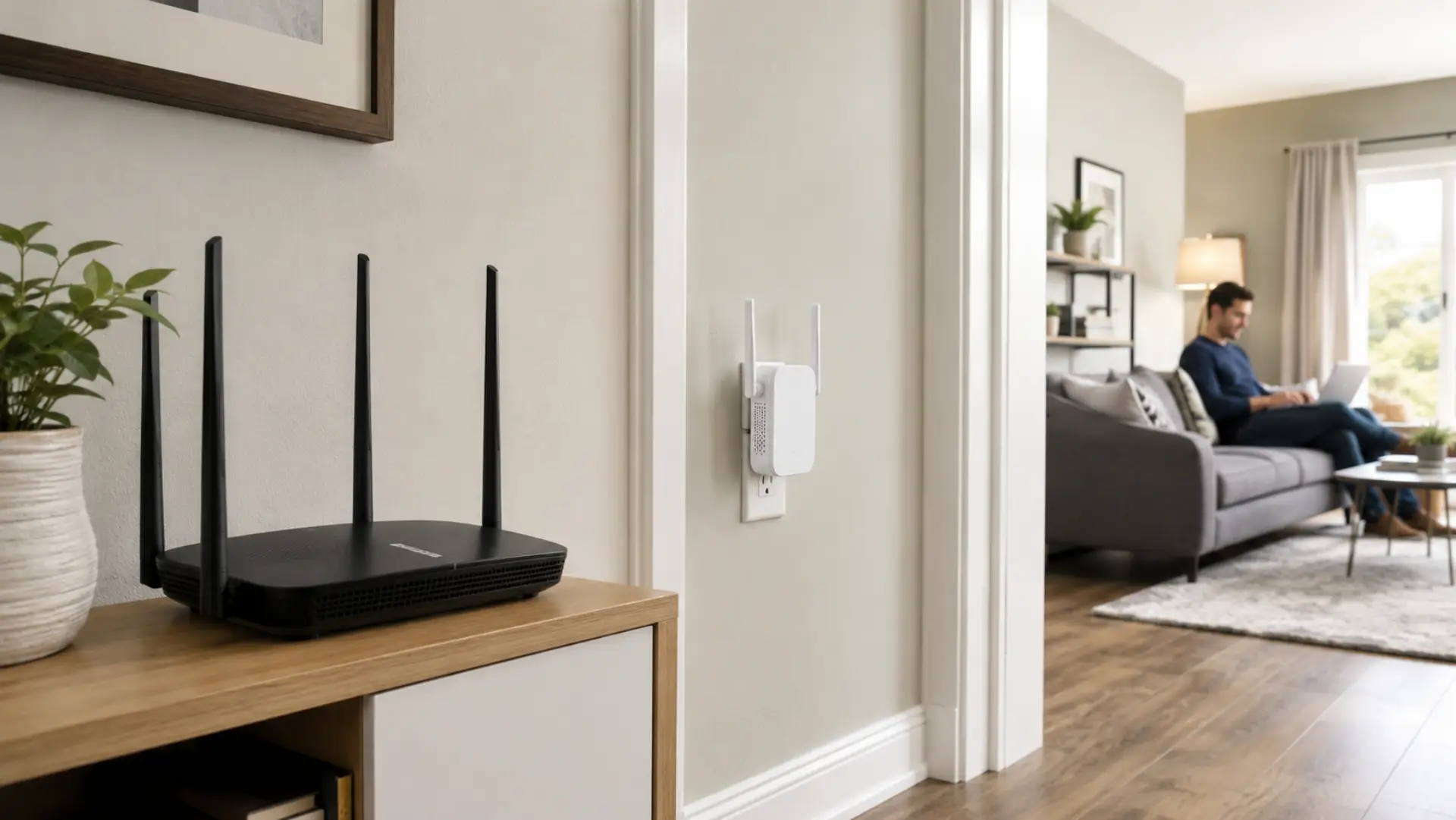
A proper WiFi extender setup helps your home get a stronger connection in rooms where the router signal becomes weak, unstable, or too slow for normal use. A WiFi extender can help weak rooms only when it is connected and placed correctly. The setup only works well when the extender is placed in the right position, connected correctly to the router, and tested after installation. If the device is placed too far from the router, it may connect but still deliver poor speed.
Check These Things Before Setup
Before connecting any device, make sure your main router is working properly. If the router itself has poor speed, outdated settings, or unstable internet, the extender will repeat the same problem instead of fixing it.
Place the router in an open area before adding a WiFi extender. Avoid keeping the router inside a cabinet, behind a TV, near metal objects, or on the floor. These are common router setup mistakes that can reduce both router and extender performance. A better router position often improves performance before extra hardware is added.
Also check where the weak area starts. If the signal becomes poor only in one room, an extender can help. If the whole home has connection problems, the issue may be with the router, modem, service line, or internet plan.
When an Extender Is the Right Solution
A WiFi range extender is useful when the router works well in some rooms but does not reach another area clearly. This usually happens in bedrooms, upstairs rooms, home offices, balconies, or spaces behind thick walls.
The extender should be used where some router signal is still available. If you place it in a full dead zone, it will not have a strong signal to repeat. Extender placement matters because repeating a weak signal will not create strong coverage. The best result usually comes from placing it between the router and the weak area.
A range extender is suitable for small coverage gaps, but it may not be enough for large villas, multi-floor homes, or heavy device usage. In those cases, a mesh system or wired access point may be more stable.
How to Connect the Extender to Your Router
Plug the extender into a wall socket close to the router for the first connection. Wait until the power light becomes stable before starting the setup.
If your router supports WPS, press the WPS button on the router first, then press the WPS button on the extender. Wait until the connection light becomes stable. This confirms that the extender has paired with the router.
If WPS does not work, use the mobile app or browser setup page. Follow the WiFi extender setup process to connect your phone or laptop to the extender’s temporary network, select your router network, enter the router password, and save the settings.
After pairing, move the extender to a midpoint location between the router and the weak room. Wait for the lights to stabilize, then test the connection in the area that had poor signal.
Best Placement for Stronger Coverage
A WiFi booster should not be placed directly inside the weakest room. It needs to receive a stable router signal before it can extend coverage properly.
Choose an open wall socket in a hallway, landing, or room between the router and the weak area. Avoid corners, closed cabinets, kitchen appliances, thick walls, and locations behind large furniture.
A clean WiFi setup depends on both router placement and extender placement. If the extender signal light shows weak strength after relocation, move it closer to the router instead of farther away.
Router Settings That Help the Extender Work Better
To improve WiFi signal, keep the router firmware updated, use a strong WiFi password, and check whether both 2.4 GHz and 5 GHz bands are available. The 2.4 GHz band reaches farther, while the 5 GHz band is usually faster over shorter distances.
For rooms far from the router, 2.4 GHz may give better reach. For nearby rooms with fewer walls, 5 GHz may deliver better speed. Some extenders let you choose the band during setup, while others manage it automatically.
A WiFi signal extender performs better when the router is already stable. If the router frequently disconnects, overheats, or restarts, fix that issue before depending on an extender.
Expert Router Connection Tips After Setup
Test the WiFi extender connection by using the internet in the exact room where the signal was weak. Open websites, stream a video, join a video call, and check whether the connection remains stable.
Do not rely only on signal bars. Strong bars do not always mean strong speed. If the extender is repeating a weak source signal, your device may show good strength but still load slowly.
Better WiFi coverage usually comes from small placement changes. Moving the extender a few feet closer to the router can improve stability more than placing it directly beside the room with poor signal.
If the WiFi signal is strong but performance is still poor, check how many devices are connected. Smart TVs, phones, cameras, laptops, and gaming devices can overload a basic router.
Every router has a WiFi limit based on hardware quality, home layout, internet speed, and number of connected devices. If the network is overloaded, adding an extender may not fully solve the problem.
DIY Setup or Professional Extender Installation?
You can set up the extender yourself if the home is small, the router is working properly, and only one nearby room has weak coverage. Basic WPS or app setup is usually enough for simple signal gaps.
Professional setup is better when the home has multiple floors, thick concrete walls, large rooms, outdoor areas, or several connected devices. A technician can test signal strength, check interference, inspect router placement, and confirm whether an extender is the right solution.
DIY setup saves cost in simple cases, but professional installation can prevent poor placement and repeated connection problems. If you still face slow WiFi after changing sockets and testing placement, expert help is usually the better option.
Common Problems After Extender Setup
If the extender connects but the speed remains poor, it may be too far from the router. Move it closer and test again.
If your whole home has slow internet, the extender may not be the cause. The problem could be the internet provider, modem, router capacity, or service line.
If your phone does not switch to the extender network, use a separate extender network name during testing. This helps you confirm whether your device is connected to the router or the extender.
Final Checklist Before You Finish
Connect the extender near the router first.
Move it only after successful pairing.
Place it between the router and the weak area.
Avoid cabinets, corners, appliances, and thick walls.
Check the signal light after relocation.
Test browsing, streaming, and video calls in the weak room.
Move the extender closer to the router if speed or stability drops.
Get professional help if the issue continues after correct placement.
FAQs
How do I set up a WiFi extender correctly?
Plug the extender near the router and connect it using WPS, a mobile app, or a browser setup page. After pairing, move it to a midpoint between the router and the weak room. Test the weak area with browsing, streaming, and video calls before choosing the final location.
Where should I place my extender?
Place the extender where it can still receive a strong router signal. The best location is usually between the router and the weak area, not inside the dead zone. If the extender signal light is weak, move it closer to the router.
Why is my extender connected but still slow?
This usually happens when the extender is repeating a weak signal from the router. Move it closer to the router and test again. Also check whether too many devices are connected to the same network.
Can I set up an extender without WPS?
Yes, most extenders can be set up through a mobile app or browser page. You connect to the extender’s temporary network, select your router network, enter the password, and save the settings. This method is also better when you want more control over the setup.
Should I use the same WiFi name as my router?
Using the same name can make the network look cleaner, but some devices may stay connected to the weaker signal. A separate extender name is easier for testing because you can see exactly which network your device is using. After testing, you can decide which option works better.
Does a WiFi extender increase internet speed?
A WiFi extender does not increase the speed from your internet provider. It helps spread the existing router connection into weaker areas. If the main router speed is already poor, the extender will not fix the original speed issue.
When should I call a professional?
Call a professional if the extender connects but the connection still drops, speed remains poor, or coverage does not improve after changing placement. Professional setup is also better for villas, offices, multi-floor homes, and layouts with thick walls.
Is a mesh system better than a WiFi extender?
A mesh system is usually better for large homes, multiple floors, and many connected devices. A WiFi extender is better for one or two simple weak spots. The right choice depends on home size, router location, wall layout, and how many devices use the network.
Leave a Reply