
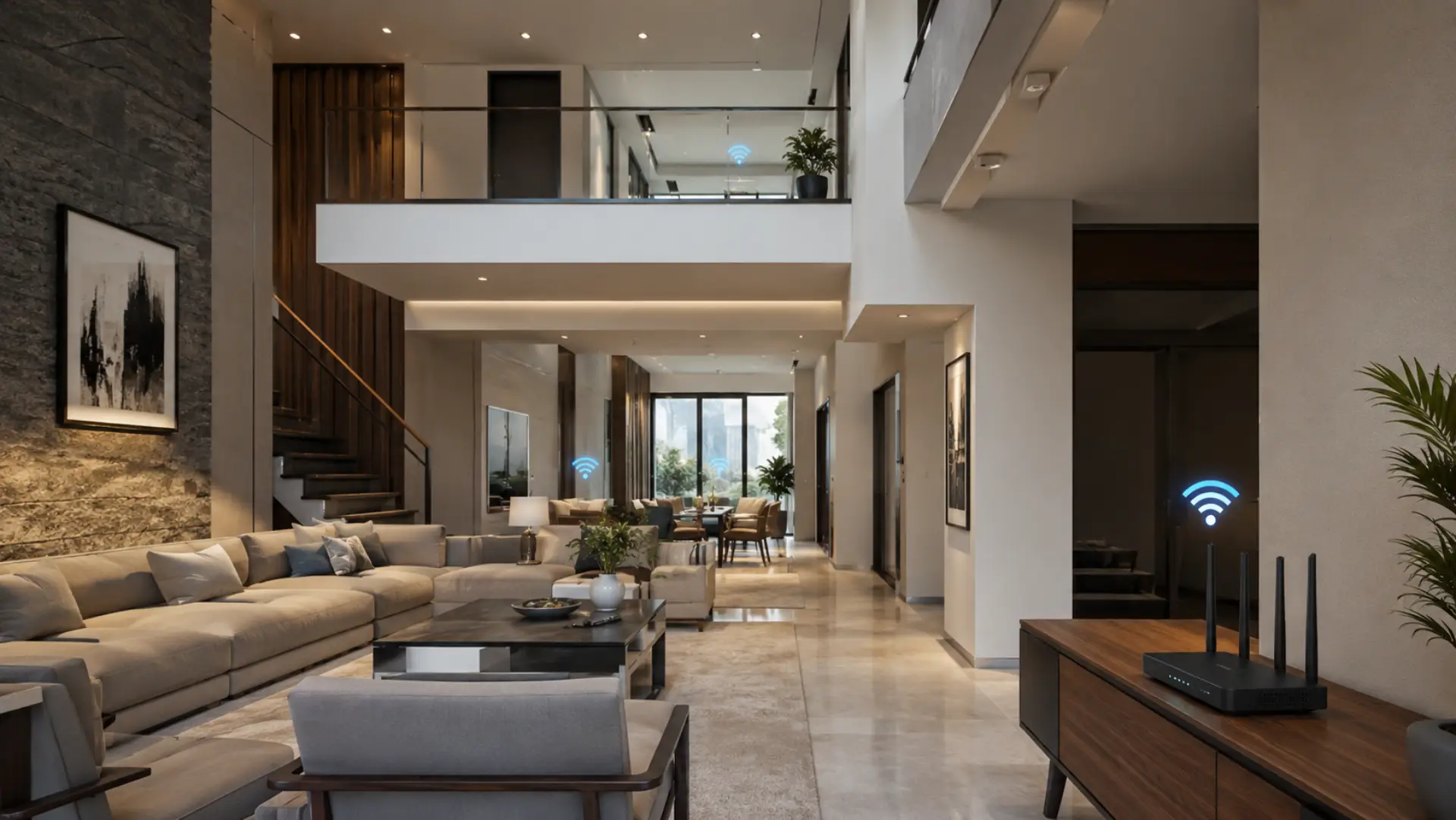
WiFi dead spots are areas in a villa where the internet signal is weak, unstable, or completely unavailable. These weak areas are similar to common WiFi dead zones that appear when the signal cannot reach certain rooms properly. In Dubai villas, this usually happens because large layouts, thick walls, multiple floors, closed rooms, and outdoor spaces make it difficult for a single router to deliver a strong signal throughout.
A proper villas wifi setup should give stable access in bedrooms, living rooms, majlis areas, kitchens, upper floors, balconies, and garden spaces. If your internet works well near the router but becomes weak in other rooms, the problem is usually related to coverage inside the home, not always the internet package. A WiFi speed test near the router and in problem rooms can confirm whether the issue is speed or coverage.
Key Takeaways
- WiFi can pass through walls, but thick concrete, brick, metal, mirrors, and long distances can reduce the signal.
- A single router may not cover a full villa, especially if the home has multiple floors or outdoor areas.
- Better router placement should be checked first before buying extra devices.
- A WiFi extender can help small, weak areas, but it may not work well if it repeats an already weak signal.
- Mesh WiFi is usually better for larger villa layouts because it spreads coverage through multiple units.
- Wired access points are often the most stable option for thick walls, upper floors, and high-use rooms.
- Room-by-room testing helps identify whether the issue is signal coverage, device load, or router capacity.
- If several rooms still have weak coverage after basic checks, a WiFi technician in Dubai can test signal strength and suggest the right setup.
Why WiFi Coverage Drops in Villas
WiFi works through wireless signals, and those signals become weaker when they travel through walls, floors, furniture, glass, and appliances. In villas, the distance between rooms is usually larger than in apartments, so the router has to cover more space.
This is why some areas may have a strong connection while others have a weak WiFi signal. Rooms far from the router, upper floors, outdoor areas, and closed corners are often the first places where the signal drops.
A villa may also have several devices connected at the same time, such as phones, laptops, smart TVs, CCTV cameras, gaming consoles, and smart home devices. When many devices use the same network, WiFi coverage may feel weaker, especially in rooms that already receive a low signal. Heavy usage can also happen when multiple devices on WiFi affect speed and network performance during busy hours.
Check the Router Location First
The router location has a major impact on your wifi connection. If the router is placed inside a cabinet, behind a TV, under the stairs, near a thick wall, or in one corner of the villa, the signal may not spread evenly.
The best position is usually central, open, and slightly elevated. Keep the router away from mirrors, metal objects, large appliances, and closed spaces. A small change in position can improve wifi range in nearby rooms and reduce drops.
Good router placement does not always fix every coverage problem, but it should always be checked before adding extra devices. Improving WiFi performance often needs both better placement and the right coverage design for the home layout.
Understand What Blocks the Signal
Different materials affect WiFi in different ways. Thin walls may reduce the signal slightly, but concrete, brick, stone, and metal can block much more. Reinforced concrete is especially difficult because it can reduce wifi signal strength between rooms and floors.
Large mirrors, metal doors, refrigerators, electrical panels, and water tanks can also affect the wifi signal. If the router is placed near these objects, the signal may become weaker before it reaches other parts of the villa.
This is one reason why the internet may be strong in the living room but poor in the bedroom, kitchen, or outdoor seating area.
Know the Limit of One Router
Every router has a wifi limit. Even if the router is powerful, it cannot always cover a large villa with thick walls and multiple floors. The farther your device is from the router, the more the signal drops.
If speed is strong near the router but poor in far rooms, the main issue is usually internal internet coverage. Upgrading the internet plan may not solve the problem if the signal cannot reach the room properly. A good internet speed for Dubai homes should be matched with proper router placement, coverage, and device usage
This is why checking coverage is important before assuming the internet provider is the cause.
Use the Right Coverage Solution
A wifi extender can help in small areas where the router signal is still available but slightly weak. However, it must be placed where it can receive a good signal. If it is placed inside an already weak area, it may only repeat a weak signal and give poor results.
For larger villas, mesh WiFi is usually more reliable. Mesh systems use multiple units placed around the home to spread the network more evenly. This helps devices connect to a stronger point as you move from one room to another.
For the most stable setup, wired access points are often better, especially in large villas or homes with thick walls. They use cable to carry the internet to different parts of the home and then provide WiFi from those locations.
Check Speed and Device Usage
Sometimes the problem is not only coverage. If too many devices are active at the same time, wifi speed can drop. Streaming, gaming, video calls, downloads, and smart cameras can all use bandwidth.
If the whole villa becomes slow at the same time, it may be a package, device load, or router capacity issue. If only certain rooms are affected, the cause is more likely a weak signal or coverage gap.
This is why many users think they have slow internet, but the real issue is poor signal distribution inside the villa. Some people search for internet slow in UAE, but the actual cause may be the home network setup. The same issue can also appear as an unstable internet connection when the signal strength changes from room to room.
Test Each Room Before Buying Devices
Before buying new equipment, test the connection in each important area. Start near the router, then test bedrooms, majlis areas, upper floors, kitchen, balcony, garden, and home office areas.
Check where the connection becomes slow, where video calls freeze, and where devices disconnect. This helps identify whether the problem is a wifi issue in one room or a bigger network problem across the villa.
A simple room-by-room test can prevent buying the wrong device. If only one small area has a weak connection, a small fix may help. If several rooms show poor network performance, the home likely needs a better coverage design.
If several rooms show weak coverage, unstable speed, or repeated disconnection, a WiFi technician can help by checking signal levels, router position, cable points, and the best location for mesh nodes or access points. This is useful when the issue is spread across the villa, and basic router changes do not solve it.
Improve Long-Term WiFi Performance
For better wifi performance, the network should match the size and structure of the villa. A small villa may only need better router positioning or one extra device. A larger villa may need mesh WiFi or wired access points.
Keep the router updated, avoid placing devices in closed spaces, and use wired connections for smart TVs, gaming consoles, and work desks where possible. Reducing wireless load can also help improve stability.
If you are facing slow wifi in multiple rooms, the goal should be to improve signal reach, reduce interference, and create a more balanced network across the home.
Final Verdict
WiFi dead spots in Dubai villas usually happen because one router cannot cover the full home properly. Thick walls, long distances, floor levels, metal objects, and too many connected devices can all reduce signal quality.
Start with the router location, test each room, and check whether the issue is limited to one area or spread across the villa. For small gaps, better placement or an extender may help. For larger homes, mesh WiFi or wired access points are usually better long-term solutions.
FAQs
Why do WiFi dead spots happen in villas?
WiFi dead spots happen when the wireless signal cannot reach certain areas properly. In villas, this is often caused by thick walls, long distances, multiple floors, and poor router location. Rooms far from the router usually lose signal first.
Can one router cover a full villa?
One router may cover a small villa, but it is often not enough for larger or multi-floor homes. Walls, floors, and distance reduce signal strength as you move away from the router. Bigger villas usually need mesh WiFi or wired access points.
Does a faster internet plan remove dead spots?
A faster internet plan does not remove dead spots if the WiFi signal cannot reach the room. Speed may be good near the router but weak in far areas. Coverage should be fixed before upgrading the package.
Where should I place my router for better coverage?
Place the router in a central, open, and raised area. Avoid cabinets, corners, mirrors, metal objects, thick walls, and large appliances. Better placement helps the signal spread more evenly through the villa.
Is a WiFi extender good for villas?
A WiFi extender can help with a small weak area, but it is not always ideal for large villas. If it receives a poor signal, it will repeat that poor signal. Mesh WiFi or wired access points are usually better for bigger homes.
Why is WiFi slow upstairs?
WiFi becomes slow upstairs because the signal has to pass through floors, walls, and distance. This reduces strength before it reaches your device. A mesh node or wired access point can improve upstairs coverage.
How can I test WiFi coverage at home?
Test speed near the router first, then test each room one by one. Check bedrooms, upper floors, balcony areas, garden spaces, and work areas. This helps you find where the signal drops and what type of fix is needed.
What is the best long-term fix for villa WiFi?
The best long-term fix depends on the villa layout. Mesh WiFi works well for many large homes, while wired access points are stronger for thick walls and multi-floor areas. A planned setup gives better results than placing random boosters.
Leave a Reply